See how your students are using AI
Leverage their questions to inform your teaching
Inquira gives teachers a clear view of AI use on each task. Every question is saved, grouped, and summarised so you can spot confusion and shape the next lesson. The assistant answers from the task you wrote, including attached materials.
Demo
Watch a short walkthrough
Observability
See how every student uses AI on a task
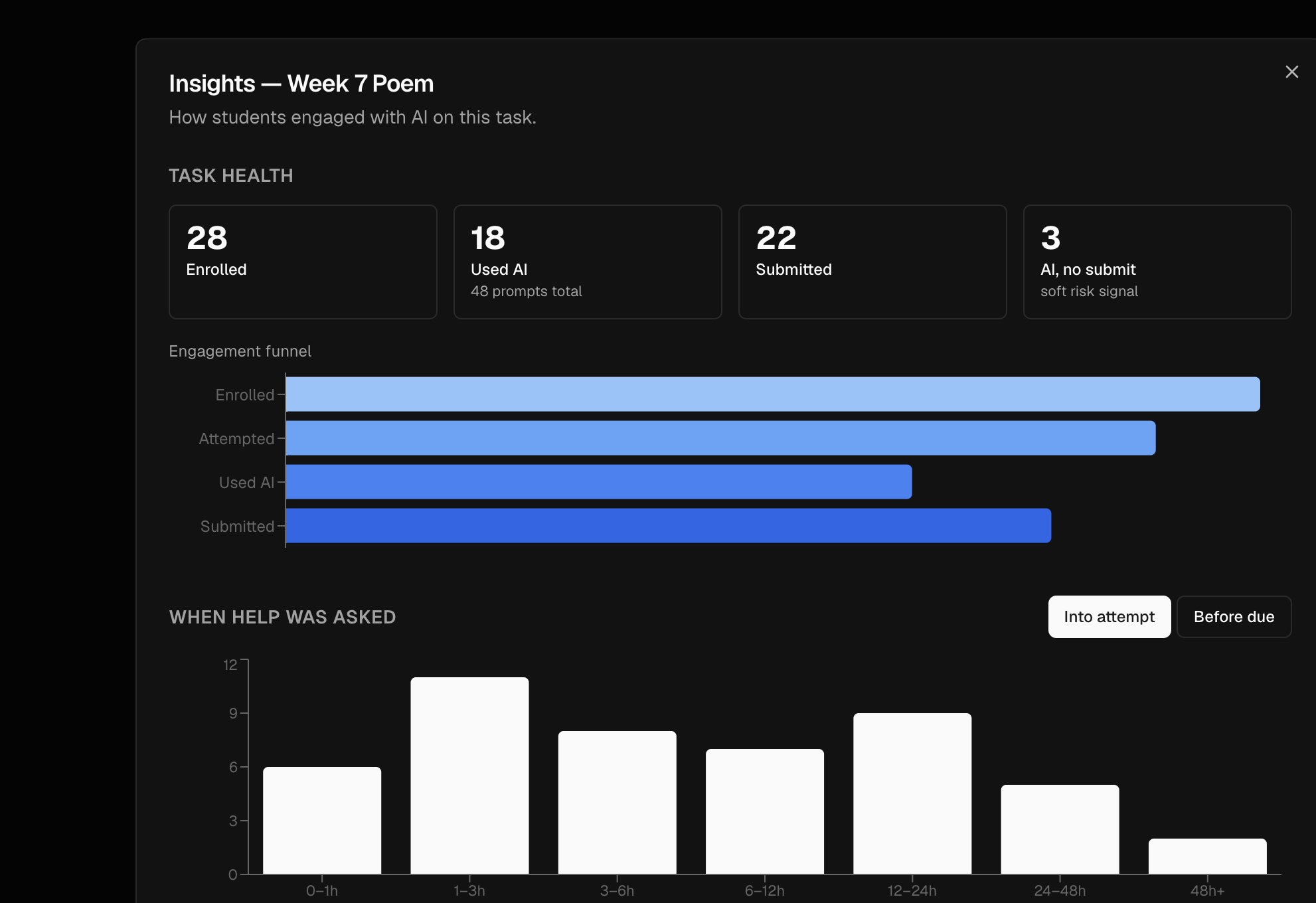
Open Insights on a task to see who enrolled, who used AI, who submitted, and who used AI without submitting. An engagement funnel sits next to those counts.
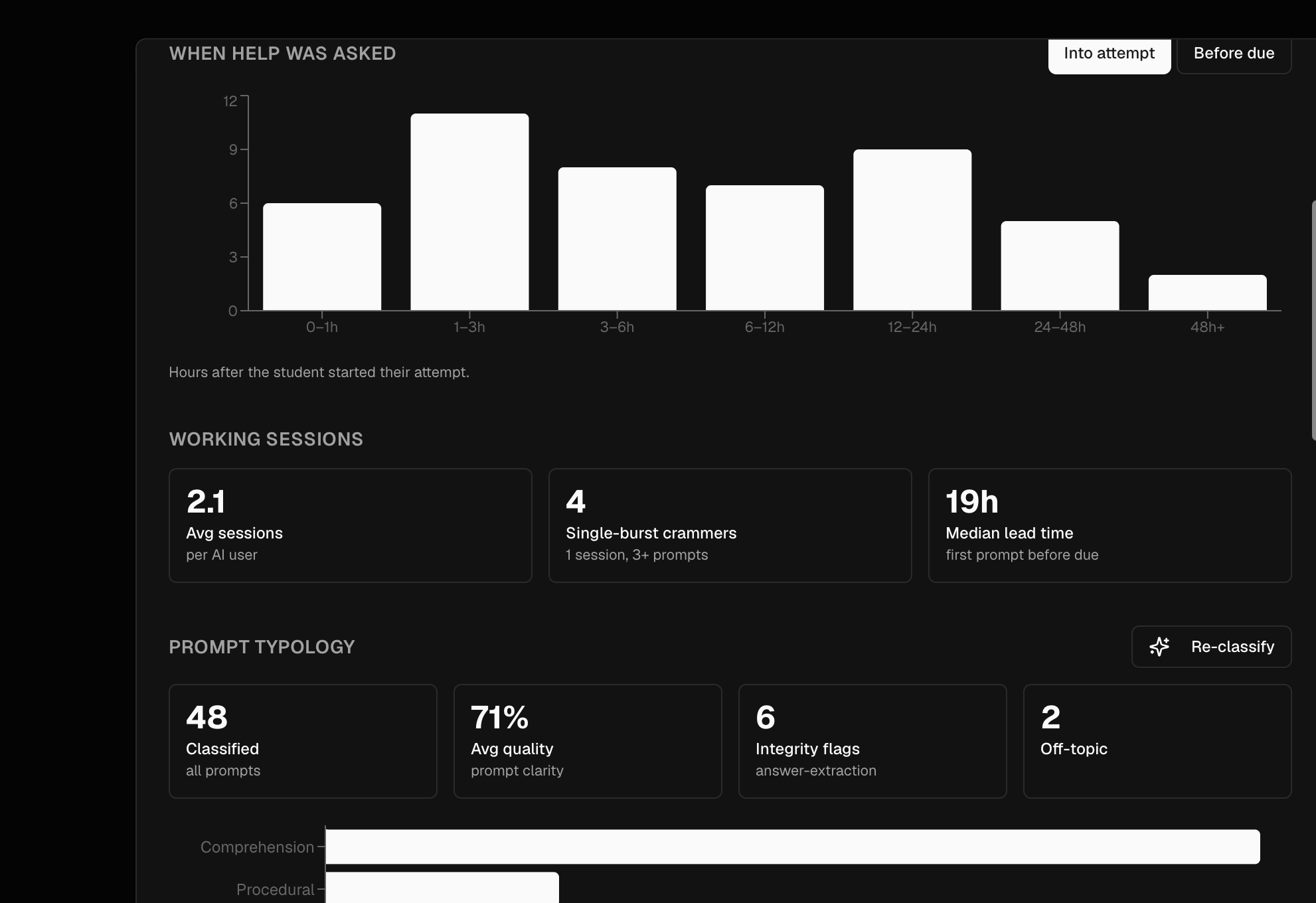
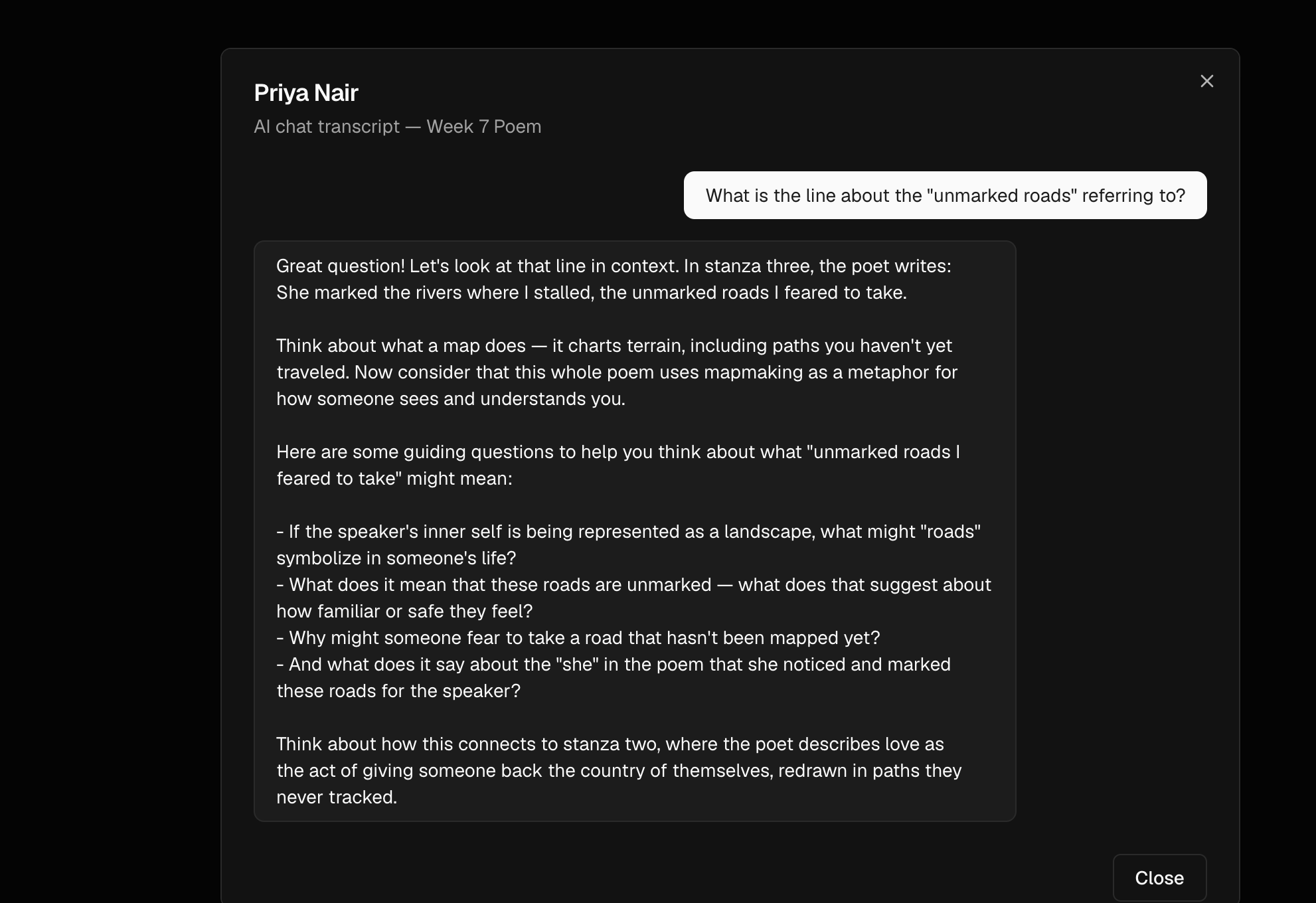
You can read when questions were asked during an attempt, how students worked in sessions, and open the full chat for any student on the roster.
Teaching
Turn student questions into the next lesson
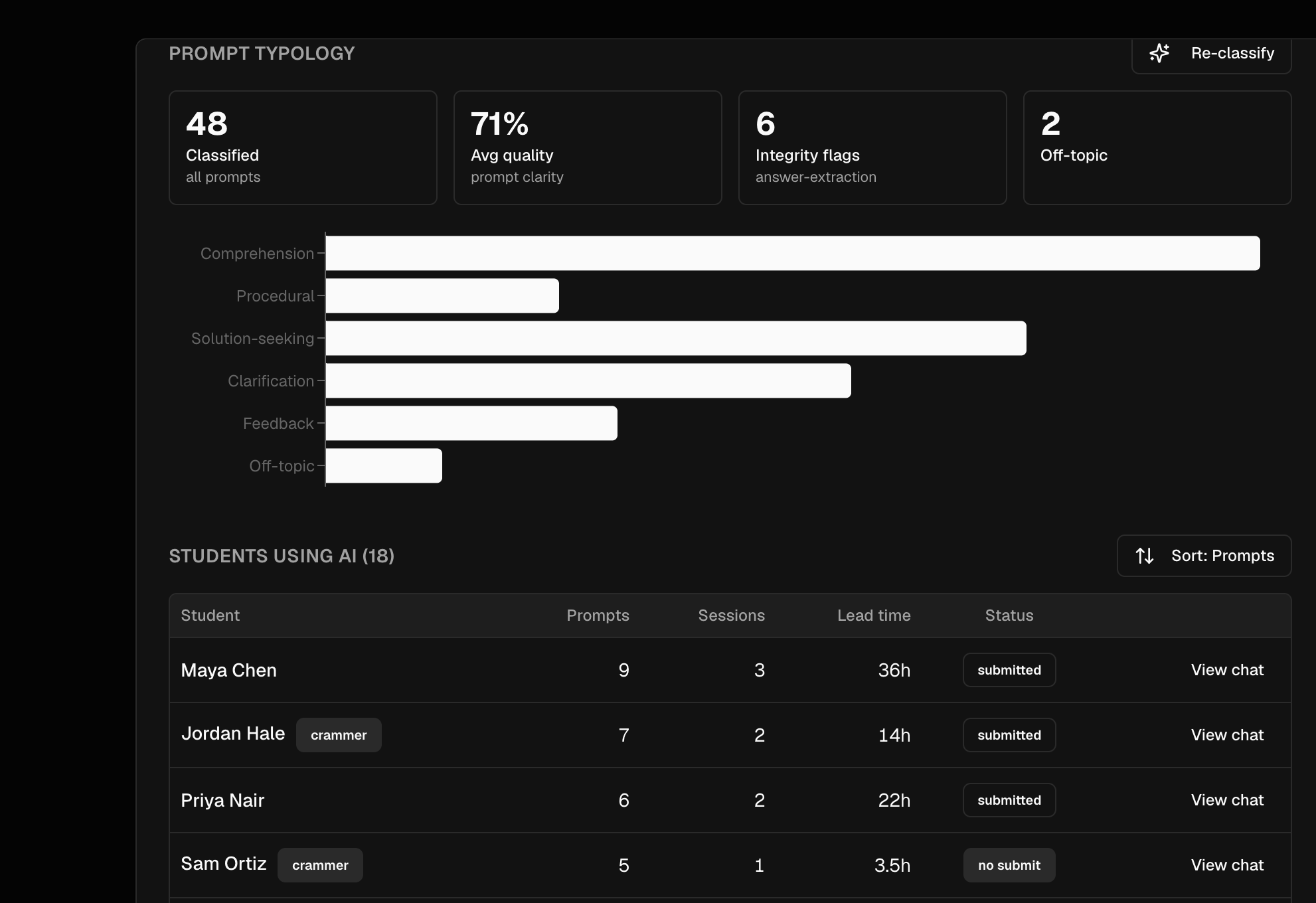
Prompts are grouped into comprehension, procedural, solution-seeking, clarification, feedback, and off-topic. You also see prompt-quality, off-topic, and answer-extraction signals.
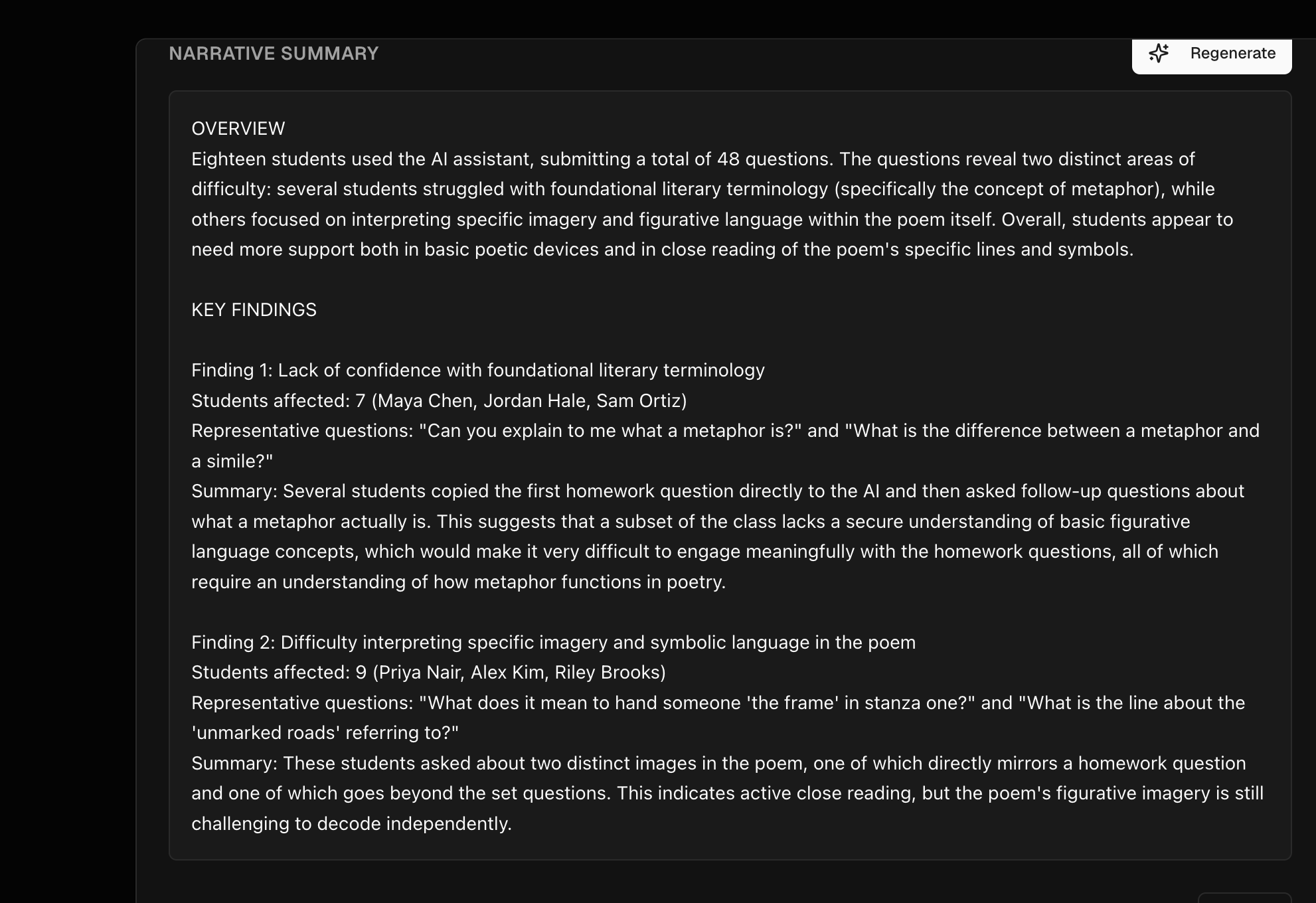
Generate a narrative summary that quotes the questions, names the patterns, and lists teaching recommendations you can take into explanations, slides, and the next version of the task.
Task-aware assistant
Answers follow the activity you set
The assistant receives the task title, type, and description with every question. PDFs and images you attach to the task are sent as well, so replies can quote the activity and cite pages.
Guidance stays with the work you set: hints, clarifications, and questions that keep the student thinking. You can turn AI off on any task.
Who it is for
Teachers and students
Teachers
Set the task, attach materials, choose whether AI is allowed, and review Insights after students work. Use the questions they asked to decide what to reteach.
Students
Attempt the task, write a response, and ask the assistant when your teacher has enabled it. Chat history is saved with the attempt so the work stays visible.